
Settings — /settings
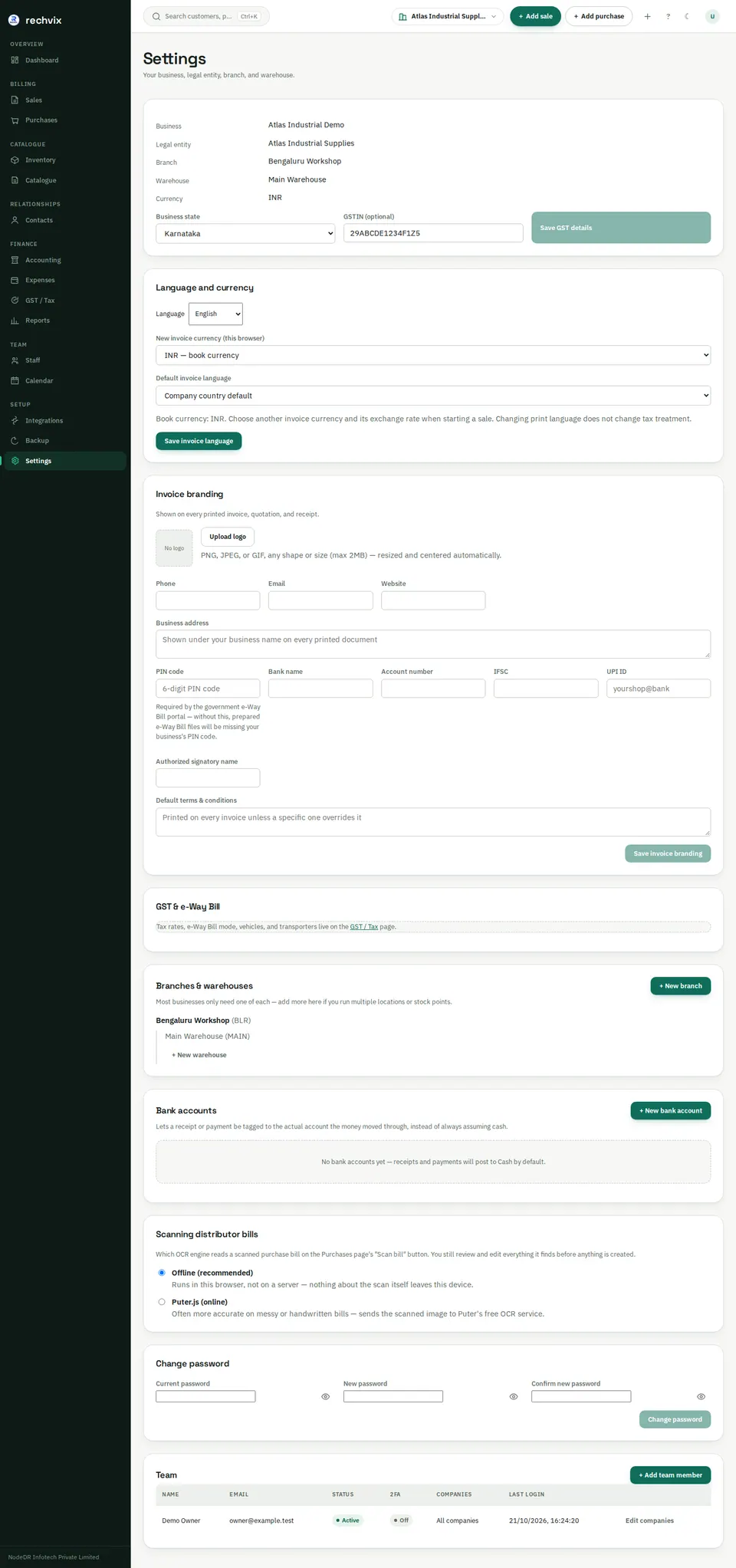
Start here after setup. Review the business, selected legal entity, branch, warehouse and currency. Update the GST state/GSTIN for India or the relevant tax identifier outside India. For the US, review configured collection states.
 Open image in a new tab
Language, invoice currency and branding
In Language and currency, choose interface language, this browser's preferred new-invoice currency and the company's default invoice language. Save the company invoice-language choice with Save invoice language. The invoice screen can override language and currency for a particular document. Foreign-currency invoices require an explicit rate expressed as company-currency units per one invoice-currency unit. The app does not obtain a market rate automatically.
In Invoice branding, enter contact details, address, bank/payment information, signatory and default terms. Add the logo if needed, then save. Check the resulting invoice printout. Printing in another language changes labels; it does not translate your manually entered product names or notes.
Branches, warehouses and bank accounts
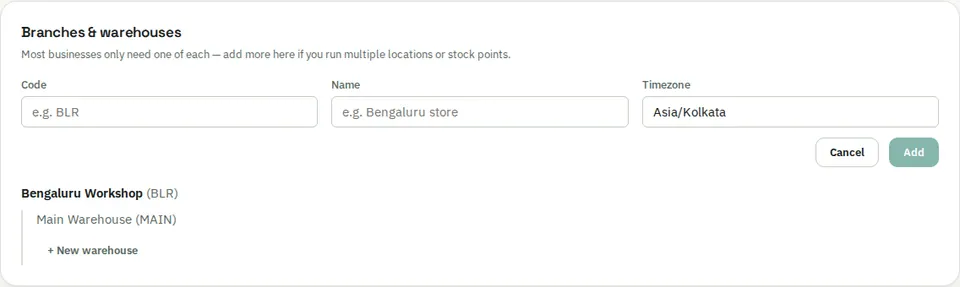
Use + New branch, give it a code and name, and save it under the correct legal entity. Add warehouses under the correct branch. Confirm the location used by sales and purchases before recording stock.
 Open image in a new tab
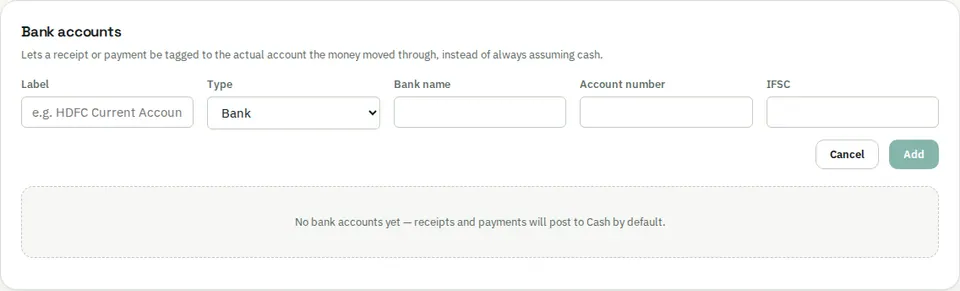
Use + New bank account, enter its name and relevant details, and choose the appropriate account kind. Saved accounts can be selected when recording payments. Enter real bank data only in your own secured installation.
 Open image in a new tab
Team and password
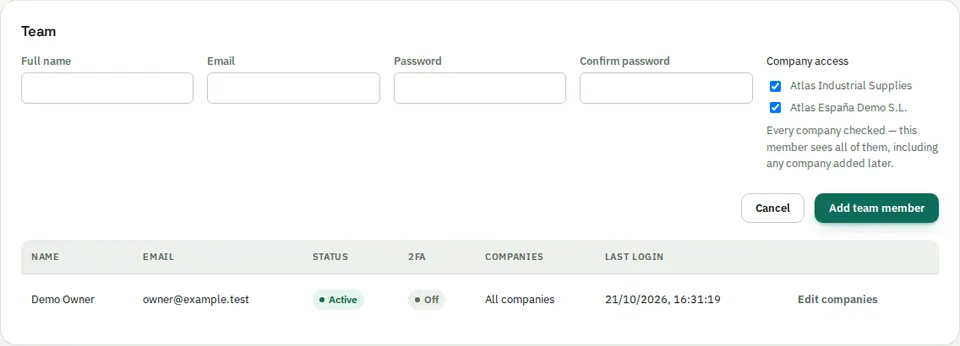
Under Team, choose + Add team member, enter the person's name, email and initial password, and review company access. Company access restricts which legal entities they can work with; it should not be treated as a complete fine-grained cashier/accountant role system. Review actual granted permissions with the operator.
 Open image in a new tab
Change password updates your own account. Scanning distributor bills controls the available bill-import settings; review scans before committing products or purchases.