
Product list — /catalogue
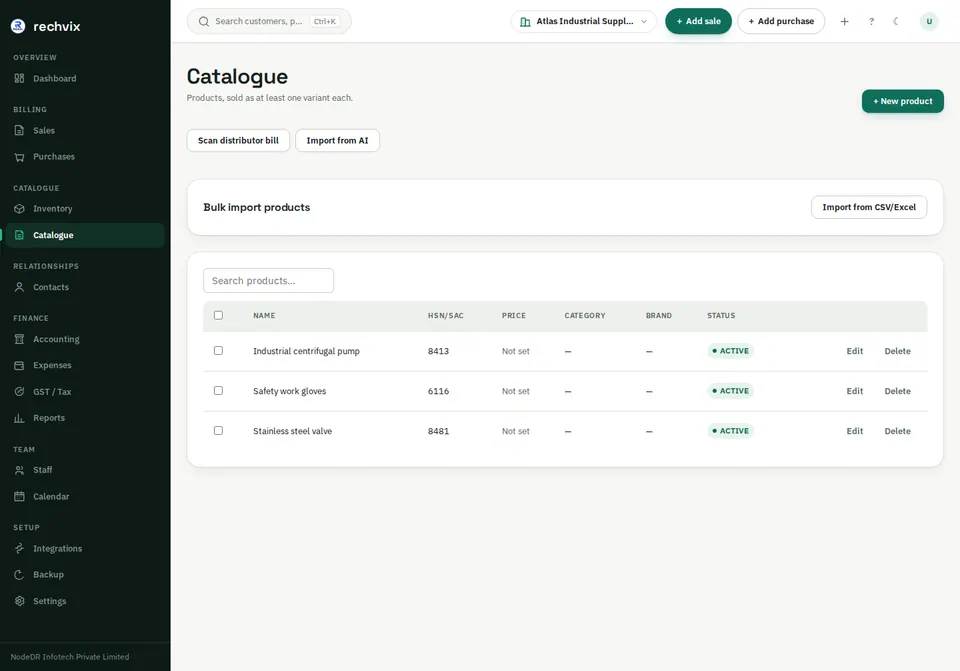
Search existing products before adding another. The table shows product identity, HSN/SAC or country tax category, selling price, category, brand and active status. A product must have a sellable variant/SKU; stock and document lines reference that variant.
 Open image in a new tab
Add or edit a product
- Select + New product.
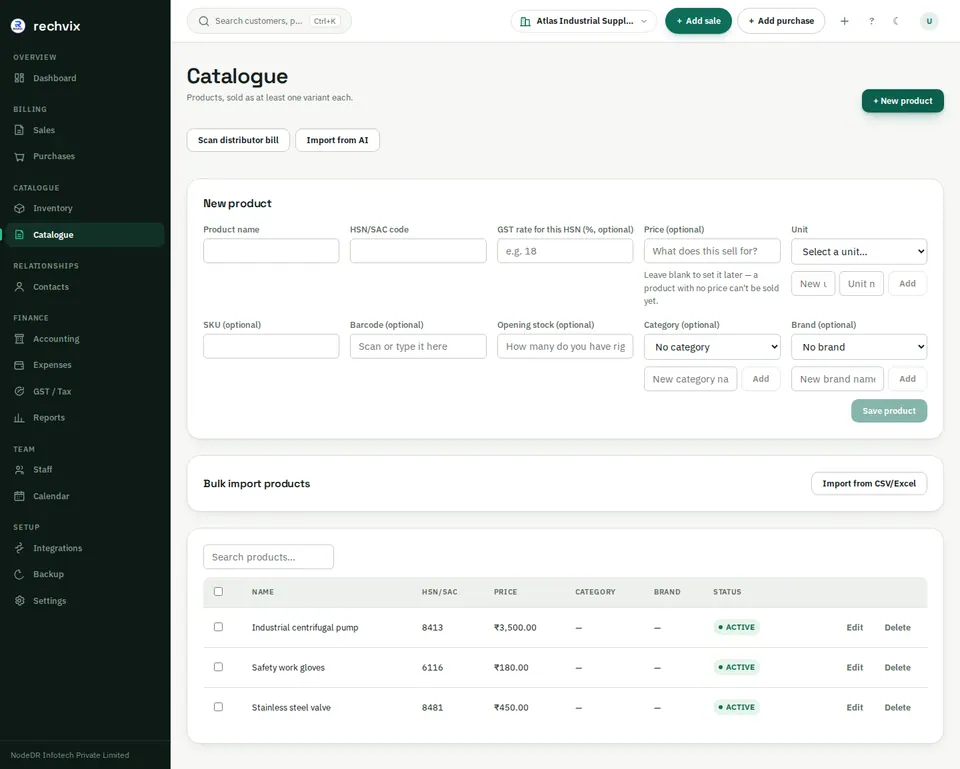
- Enter a clear product name and choose its base unit. Add a unit from the form if required.
- For India, enter the correct HSN/SAC and GST rate. Outside India, choose a verified country tax category; an Indian HSN is not a substitute for that category.
- Set a selling price if the item should have a default price at the billing counter. An unset price can produce a zero-priced invoice line; check it before finalizing.
- Choose category and brand if useful, then save.
- Search the product again to confirm it appears.
 Open image in a new tab
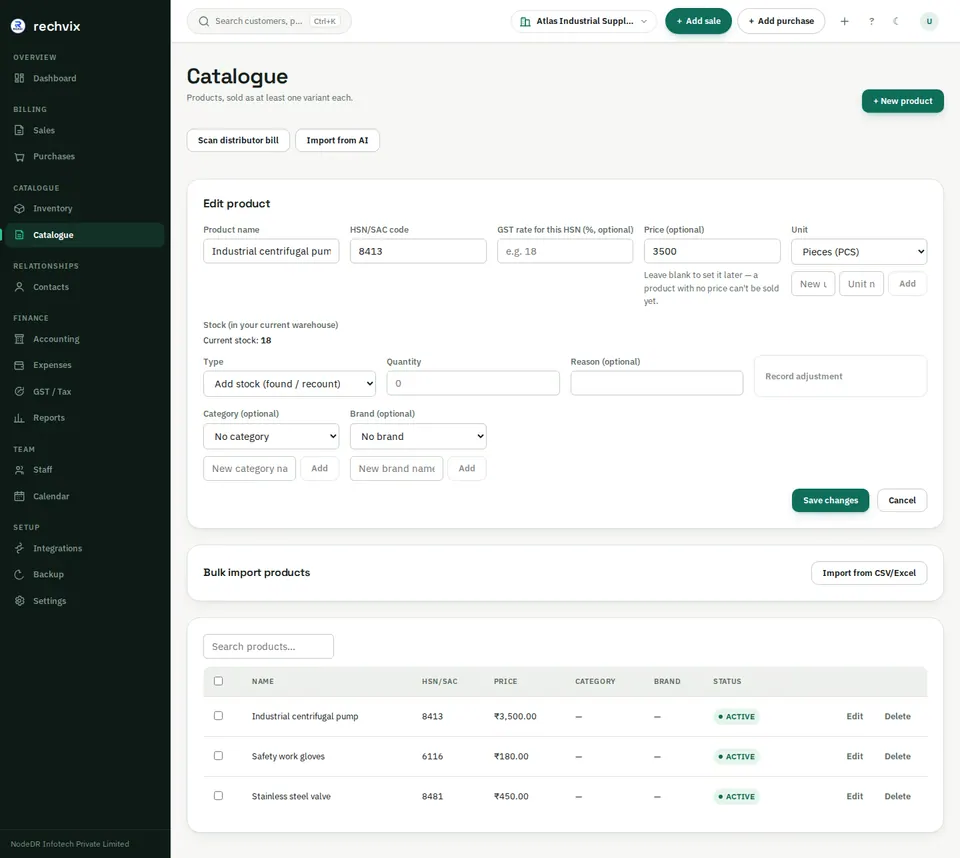
Use Edit to change supported product fields and price. The edit form also provides stock adjustment controls. Use a reason when correcting a count. Deleting an item with transaction history may deactivate it to preserve records; check the resulting status instead of assuming its history disappeared.
 Open image in a new tab
Bulk imports and distributor bills
Import from CSV/Excel opens the shared import workflow. Follow its expected headers/template, select the file, run Preview, correct rejected rows, then import once. Verify counts and a few records afterward. Product imports can depend on warehouse and unit details, so review those before committing.
Scan distributor bill and Import from AI provide assisted entry. Check supplier identity, product matching, unit/pack quantity, price, HSN and tax against the source bill. A successful scan is not proof that the purchase is correct or finalized.