
Finalized invoice — /sales/:id
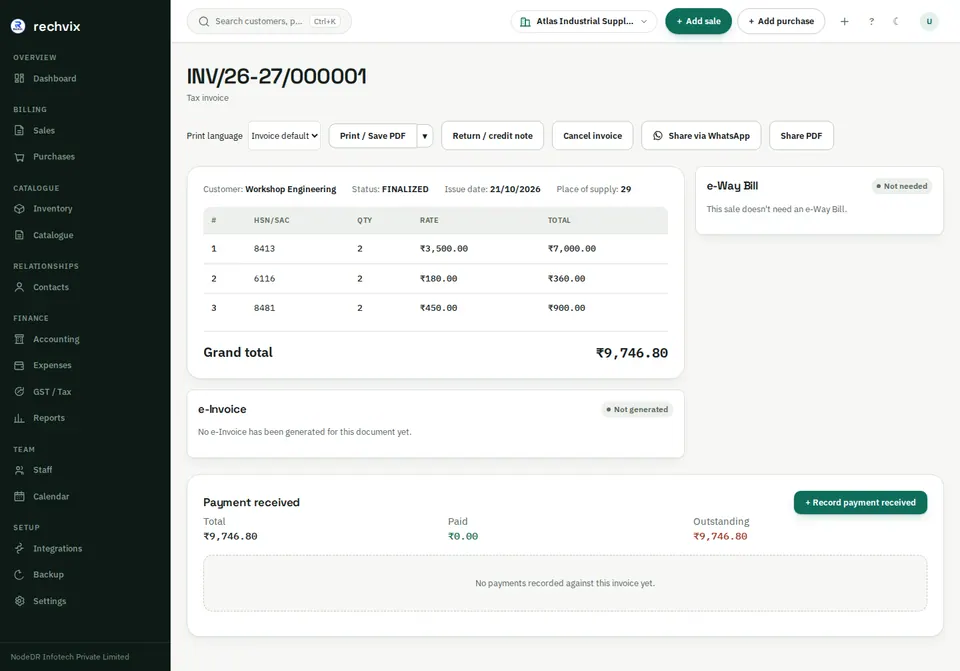
Review the number, status, customer, issue date, lines and grand total. India also shows e-Way Bill and e-Invoice status. The payment panel shows invoice total, paid amount and outstanding amount separately.
 Open image in a new tab
Print or save a PDF
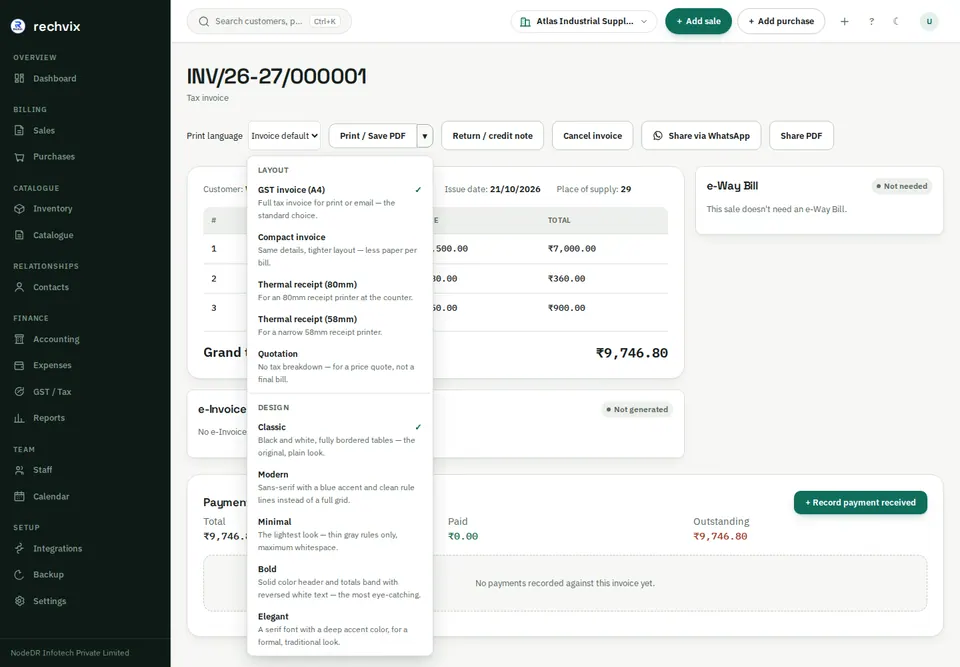
Choose Print language if this copy needs another language, then Print / Save PDF. Use the arrow beside it to choose A4, compact, thermal receipt or quotation layouts, and the available design themes. Check that the selected layout is suitable for the document type; a quotation printout is not a replacement for a tax invoice.
 Open image in a new tab
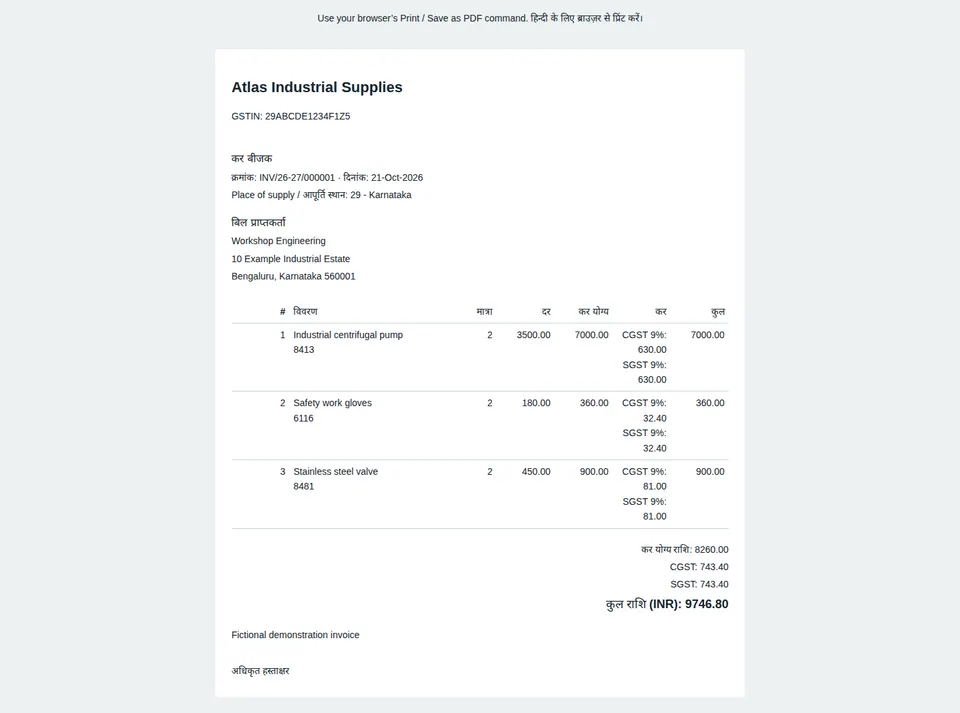
For Hindi, the print view renders Devanagari labels in browser-printable HTML. Use the browser's Print dialog and choose the printer or Save as PDF. Check page size, margins and preview. Changing print-copy language does not change the saved invoice amounts or currency.
 Open image in a new tab
Share via WhatsApp opens a customer-sharing workflow when phone details are present. Share PDF uses the available browser/device sharing workflow. Review the recipient before sending. Screenshots were captured without sending any customer messages.
Receive a payment
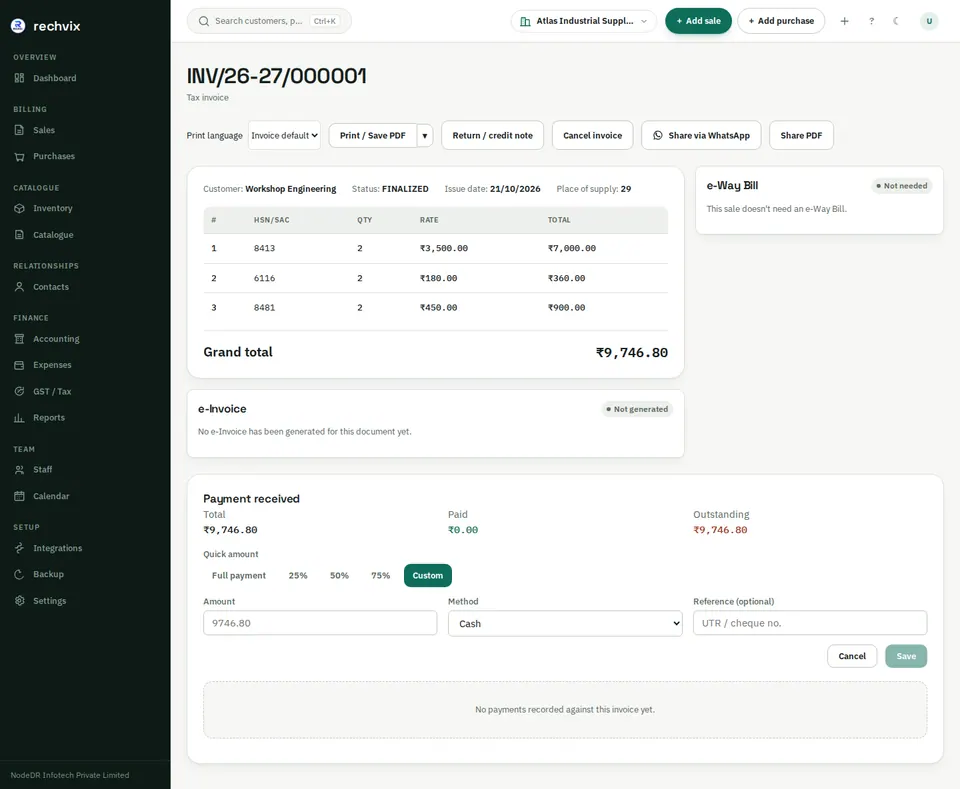
Select + Record payment received. Choose full amount, a supported percentage or a custom amount; choose the method, bank/account if applicable and reference. Save once. Verify that paid and outstanding amounts update. Do not record the same receipt again from the contact page.
 Open image in a new tab
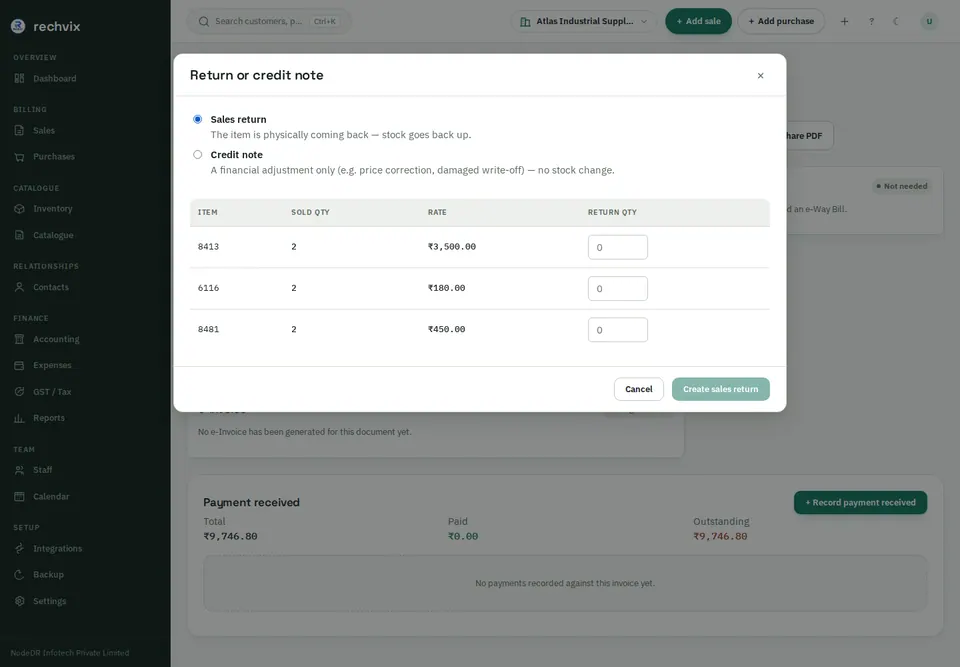
Return goods or issue a credit note
Open Return / credit note. Choose Sales return when goods physically come back and stock should increase, or Credit note for a financial adjustment without stock movement. Enter only the quantities being adjusted and review the resulting amounts before creating it. The current dialog creates and finalizes the adjustment, so treat its confirmation as a posting action.
 Open image in a new tab
Use Cancel invoice only for a genuine cancellation. Read its reason/confirmation requirements. Where government documents are involved, local cancellation and government cancellation are separate concerns; follow the displayed status and your accountant's instructions.